The PW Studio toolkit
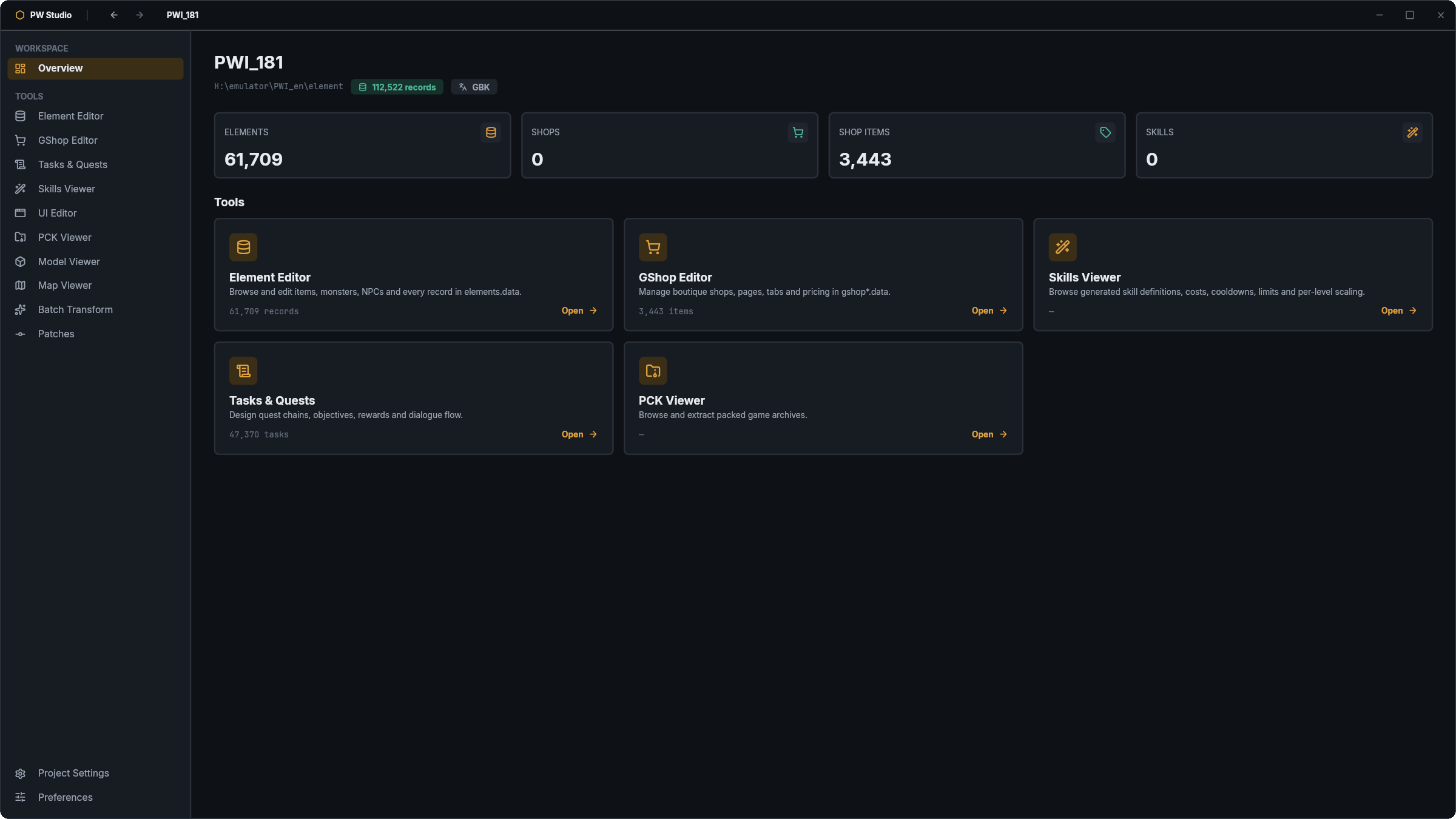
PW Studio bundles a native editor for every Perfect World server file — each tool understands its format directly, so you open, edit and save without touching a hex offset. Below is every tool, what it can do, and the tier that unlocks it. Client versions 1.4.x–1.7.x are auto-detected.
Element Editor
The Element Editor opens your server's elements.data — the master table behind every item, NPC and monster — and turns thousands of packed binary records into clean, typed fields you can search, edit and save.
View records
·
Edit & save
·
Skills Viewer
The Skills Viewer decodes the entire skill library — damage formulas, cast conditions, cooldowns and effect chains — and shows them exactly as the server resolves them at runtime.
View skills
·
GShop Editor
The GShop Editor is a visual designer for your cash shop.
View shop
·
Edit & export
·
PCK Browser
The PCK Browser opens the client's packed .pck archives, previews the textures, models and interface files inside, and extracts anything with one click.
Browse
·
Export
·
Import / repack
·
UI Editor
The UI Editor opens the client's interface files — the windows, panels and HUD that make up the game's front end — so you can inspect their structure and layout for free, then move, resize and restyle them on a paid tier.
View UI
·
Edit
·
Quest Editor
The Quest Editor authors your server's tasks.data through a structured interface: define objectives, rewards and prerequisites, branch quests into story chains, and wire them to world triggers — all without offset math.
View quests
·
Author & edit
·
Model Tools
Model Tools render your character, item and creature models in an interactive 3D viewport.
Preview 3D
·
Export
·
Import GLB
·
Map & World Tools
Map & World Tools let you fly through your server's world maps and preview them.
Preview maps
·
Edit world
·
Your files are always yours
Editing happens locally on your machine. Files you export keep working forever — cancel or downgrade and the paid editors simply revert to read-only viewers. A single licence activates on one machine at a time and can be re-assigned any time from your dashboard.